

Download: What is nano .mp4
Nano is a simple, lightweight text editor for Linux (and other Unix-like systems) that runs inside the terminal. It’s loved by beginners because it’s straightforward—no confusing modes, no steep learning curve.

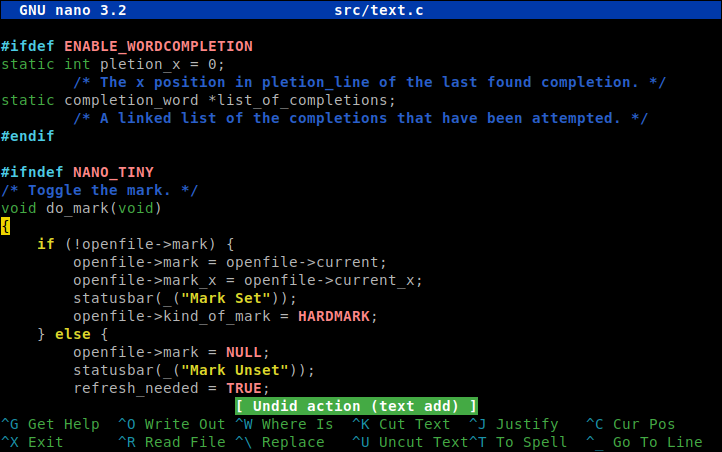
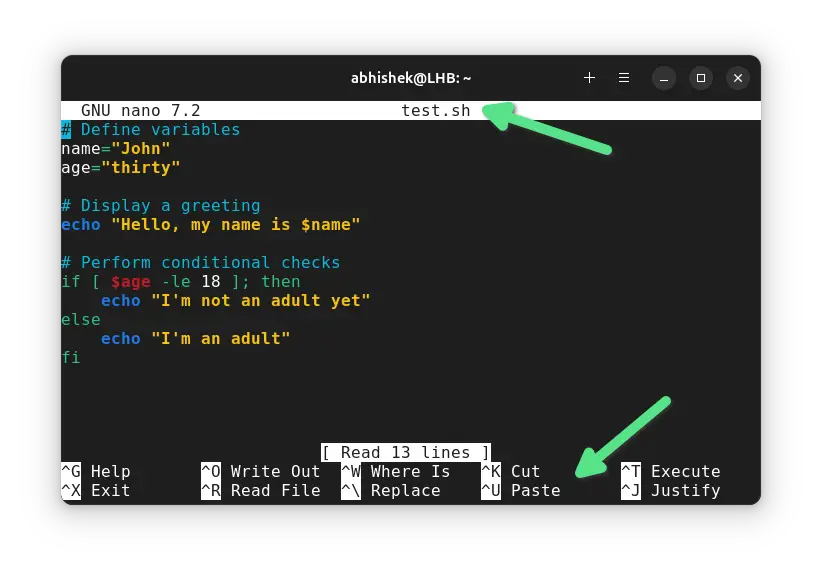
What Nano Is Used For
You use nano to:
Edit configuration files (
.conf,.env,.ini)Write scripts (
.sh,.py,.php)Quickly change system files (like
/etc/hosts)Make fast edits on remote servers via SSH
How to Open Nano
nano filename.txt
If the file doesn’t exist, nano creates it.
Why People Like Nano
🟢 Beginner-friendly – no modes like Vim
🟢 Runs in terminal – perfect for servers
🟢 Keyboard shortcuts shown on screen
🟢 Very lightweight & fast
Basic Nano Commands (Must-Know)
| Action | Shortcut |
|---|---|
| Save file | Ctrl + O → Enter |
| Exit nano | Ctrl + X |
| Cut line | Ctrl + K |
| Paste line | Ctrl + U |
| Search text | Ctrl + W |
| Replace text | Ctrl + \ |
| Go to line | Ctrl + _ |
(Ctrl is shown as ^ inside nano)
Example: Edit a Config File
sudo nano /etc/nginx/nginx.conf
Nano vs Other Editors
Nano → simple, fast, beginner-friendly
Vim → powerful, steep learning curve
Emacs → extremely powerful, heavy
When You Should Use Nano
✔ Quick edits
✔ Learning Linux
✔ Server work over SSH
✔ No time to remember complex commands
Enjoy! Follow us for more...


No comments:
Post a Comment