What is Double-testing with lookahead assertions in Regex.mp4


Download Video : What is Double-testing with lookahead assertions in Regex.mp4

Double-Testing with Lookahead Assertions (Regex)

Double-testing in regex means checking for multiple conditions at the same position in a string — without consuming characters. This is done using lookahead assertions.

A lookahead assertion lets you verify that something exists ahead in the string, but it does not become part of the final match.


🔍 What is a Lookahead?

There are two types:

TypeSyntaxMeaning
Positive Lookahead(?=...)Must match ahead
Negative Lookahead(?!...)Must NOT match ahead

🧠 Why "Double-Testing"?

Because you can apply multiple lookaheads together, which means:

"Match this — but only if Condition A AND Condition B are true."


✅ Example 1: Password Validation (Double Testing)

Let’s say we want a password that:

  • Has at least one digit

  • Has at least one uppercase letter

  • Minimum 8 characters

Regex:

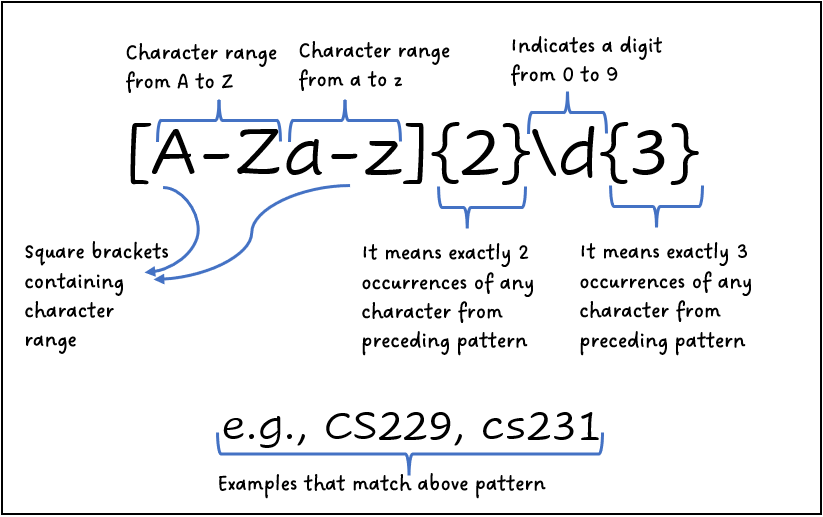
^(?=.*[0-9])(?=.*[A-Z]).{8,}$

Breakdown:

  • (?=.*[0-9]) → must contain a number

  • (?=.*[A-Z]) → must contain uppercase

  • .{8,} → at least 8 characters

👉 Both lookaheads test independently — that’s double-testing.


✅ Example 2: Match Word Only If Followed by Another Word

Match cat only if it is followed by dog.

cat(?=dog)

Matches:

catdog ✅

Does NOT match:

catfish ❌

🚫 Negative Double-Testing Example

Match "file" only if NOT followed by .exe

file(?!\.exe)

Matches:

file.txt ✅

Does NOT match:

file.exe ❌

🔥 Advanced Example (Multiple Conditions)

Match a word only if:

  • It starts with capital

  • Contains digit

  • Ends with lowercase

^(?=[A-Z])(?=.*[0-9])[A-Za-z0-9]*[a-z]$

Here:

  • First lookahead checks start

  • Second checks digit anywhere

  • Final part enforces ending rule


⚡ Key Benefits

✔ Clean validation rules
✔ No need for complex nested logic
✔ Efficient for pattern-based filtering
✔ Great for form validation, parsing, filtering


🎯 Real-World Uses

  • Password validation

  • Email filtering

  • Programming language parsing

  • Log file filtering

  • Data sanitization


🧩 Important Concept

Lookaheads:

  • Do NOT consume characters

  • Can be stacked infinitely

  • Work like logical AND conditions

Enjoy! Follow us for more... 

If download link not working, contact us in Our WhatsApp Group

Regex : Installing an engine.mp4


What is Regex?

Regex (Regular Expression) is a powerful pattern-matching tool used to search, validate, extract, and manipulate text.
It is widely used in programming languages like PHP, Python, JavaScript, Java, and in tools like Linux grep, editors, and databases.


🔧 Installing a Regex Engine

The good news is:

👉 You usually don’t need to install a separate Regex engine.
Most programming languages already include a built-in Regex engine.

However, depending on your environment, here’s how it works:


1️⃣ In PHP (PCRE Engine)

Image

Image

Image

Image

PHP uses PCRE (Perl Compatible Regular Expressions) by default.

✅ No Installation Required

Regex works automatically in PHP.

Example:

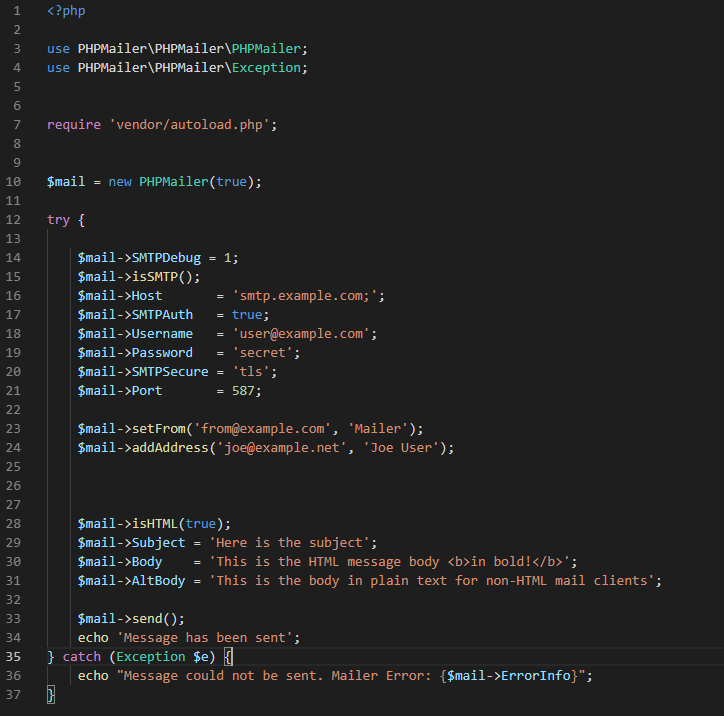
<?php
$text = "Hello123";
if (preg_match("/[0-9]+/", $text)) {
    echo "Number found!";
}
?>

Functions:

  • preg_match()

  • preg_replace()

  • preg_split()


2️⃣ In Python

Image

Image

Image

Image

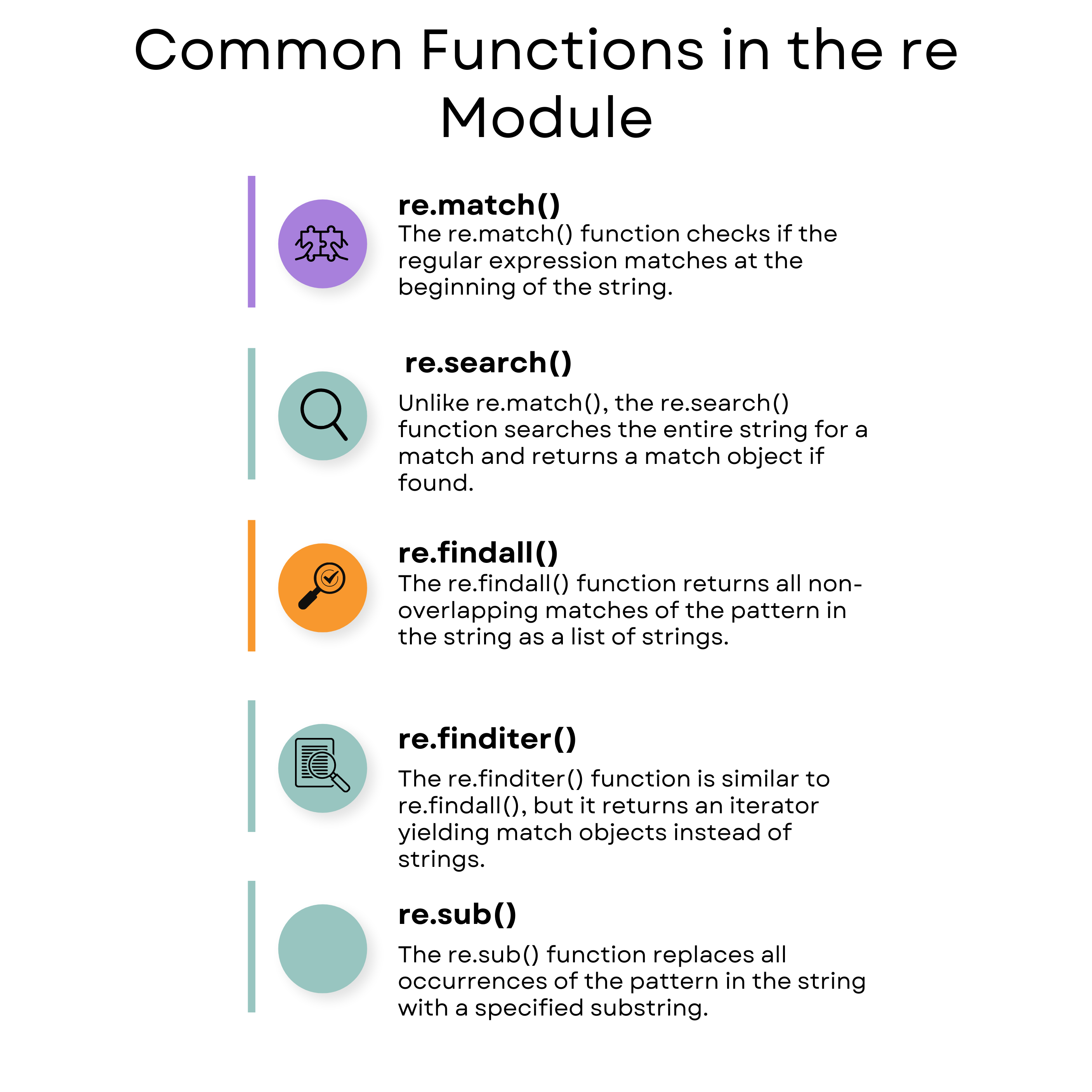
Python includes the built-in re module.

✅ No Installation Required

Example:

import re

text = "Hello123"
match = re.search(r"\d+", text)

if match:
    print("Number found!")

3️⃣ In JavaScript

Image

Image

Image

Image

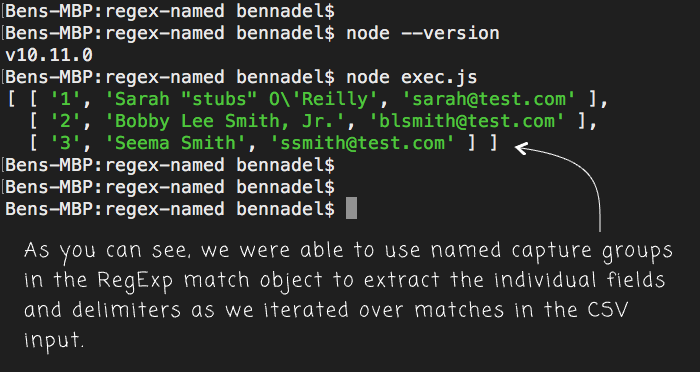
JavaScript has built-in Regex support.

✅ No Installation Required

Example:

let text = "Hello123";
let result = /\d+/.test(text);

if (result) {
  console.log("Number found!");
}

4️⃣ Installing a Standalone Regex Engine (Optional)

If you're working in:

  • C / C++

  • Custom software

  • Embedded systems

You may install external engines like:

  • PCRE library

  • RE2 (Google Regex engine)

  • On Linux: sudo apt install libpcre3


🚀 Summary

LanguageInstallation Needed?
PHP❌ No
Python❌ No
JavaScript❌ No
Java❌ No
C/C++✅ Sometimes

💡 Important Tip

Regex is not a software you install like MySQL or Node.js.
It is a text pattern engine built into programming languages.


Enjoy! Follow us for more....

If link not working , you can contact in our WhatsApp Group

Working with multiple files in buffers using nano.mp4


Download Video: Working with multiple files in buffers using nano.mp4

Alright, nano may look simple, but it actually handles multiple files (buffers) pretty cleanly once you know the moves. Let’s break it down in a practical, no-nonsense way 👇


What is a buffer in nano?

In nano, each open file lives in its own buffer (think: a temporary workspace in memory).

You can:

  • Open many files at once

  • Switch between them

  • Copy/paste text across files

  • Save or close them independently


Opening multiple files

You’ve got two main ways:

1. Open multiple files at once

nano file1.txt file2.txt file3.txt

Nano opens file1 first, but all files are loaded as buffers.


2. Open another file while nano is already running

Press:

Ctrl + R

Then:

Ctrl + X

Now type the filename and hit Enter.

➡️ Boom, new file = new buffer.


Switching between buffers (most important part)

Use:

Alt + >

Go to next buffer

Alt + <

Go to previous buffer

💡 On some systems, Alt = Esc, so:

  • Press Esc, release, then press > or <

Nano shows the current filename at the top, so you always know which buffer you’re in.


Seeing all open buffers

Nano doesn’t show a buffer list UI, but you can cycle through them using:

Alt + <   /   Alt + >

That’s the only way—simple but effective.


Copy & paste between files (buffers)

This is where nano buffers really shine:

Step 1: Mark text

Ctrl + ^

(or Ctrl + Shift + 6)

Move the cursor to select text.

Step 2: Copy (cut)

Alt + 6   → Copy
Ctrl + K  → Cut

Step 3: Switch buffer

Alt + >   or   Alt + <

Step 4: Paste

Ctrl + U

Now you’re moving text between files like a pro 😎


Saving specific buffers

Save current file:

Ctrl + O

If the file is new, nano asks for a filename.

Each buffer is saved independently.


Closing buffers safely

When exiting:

Ctrl + X

Nano will:

  • Ask to save if the buffer has changes

  • Move to the next buffer automatically

You exit nano only after all buffers are handled.


Bonus: Open file at a specific line

Super useful for logs or code:

nano +120 app.log

Opens app.log directly at line 120.


Quick cheat sheet

Ctrl + R + Ctrl + X → Open new file in buffer
Alt + > / Alt + <  → Switch buffers
Ctrl + ^           → Start selection
Alt + 6            → Copy
Ctrl + K           → Cut
Ctrl + U           → Paste
Ctrl + O           → Save buffer
Ctrl + X           → Exit


Enjoy! Follow us for more... 

Introduction about the foundations of Laravel.mp4


Download Video : introduction to the foundations of Laravel.mp4


Introduction to the Foundations of Laravel

Laravel is a modern, open-source PHP web application framework designed to make web development faster, cleaner, and more enjoyable. It is built on the MVC (Model–View–Controller) architecture and focuses heavily on developer productivity, code readability, and long-term project maintainability.

At its core, Laravel provides a strong foundation by handling common web development tasks—such as routing, authentication, database interaction, sessions, and caching—out of the box. Instead of reinventing the wheel, developers can focus on building features and logic that actually matter.

The foundation of Laravel is powered by several key concepts:

  • Elegant Routing System – Allows developers to define application URLs in a simple and expressive way.

  • MVC Architecture – Separates business logic (Models), user interface (Views), and request handling (Controllers) for clean and organized code.

  • Eloquent ORM – A powerful and intuitive database abstraction layer that lets you work with databases using PHP syntax instead of complex SQL queries.

  • Blade Templating Engine – A lightweight and fast templating system for creating dynamic UI layouts.

  • Artisan CLI – A command-line tool that boosts productivity by automating repetitive tasks like migrations, controllers, and testing.

  • Built-in Security – Protection against common vulnerabilities such as SQL injection, CSRF, and XSS is baked into Laravel’s core.

Laravel’s foundation is also deeply integrated with modern development practices like dependency injection, service containers, environment configuration, and RESTful APIs. This makes it suitable for everything from small projects to large-scale enterprise applications.

In short, Laravel’s foundation is all about simplicity, structure, and scalability, making it one of the most popular PHP frameworks in the world today—especially for developers who want clean code and rapid development without sacrificing performance or security.


Enjoy! Follow us for more... 

How to use SQL CE.mp4


Download Video : How to use SQL CE.mp4

SQL Server Compact Edition (SQL CE). I’ll assume you want to actually use it, not just read theory.


What is SQL Server Compact Edition (SQL CE)?

SQL CE is a lightweight, embedded database by Microsoft.

  • No separate database server

  • Runs inside your application

  • Best for desktop apps, mobile apps, small tools

  • File-based database: .sdf

⚠️ Heads-up: SQL CE is deprecated by Microsoft, but many legacy apps still use it.


When should you use SQL CE?

Good choice if:

  • You need a local database

  • App must work offline

  • Small data size (up to ~4GB)

  • No need for heavy concurrency

Not good for:

  • Web apps

  • High traffic systems

  • Large enterprise databases


Step 1: Install SQL CE

You need SQL Server Compact installed.

Typical options:

  • SQL Server Compact 4.0

  • Comes as runtime + developer tools

After install, you’ll get:

  • System.Data.SqlServerCe.dll


Step 2: Create a SQL CE Database

A SQL CE database is just a file (.sdf).

Create Database in C#

using System.Data.SqlServerCe;

string connectionString =
    "Data Source=MyDatabase.sdf; Persist Security Info=False;";

SqlCeEngine engine = new SqlCeEngine(connectionString);
engine.CreateDatabase();

That’s it — database created 🎉


Step 3: Connect to SQL CE

SqlCeConnection conn = new SqlCeConnection(
    "Data Source=MyDatabase.sdf;"
);
conn.Open();

Step 4: Create Tables

SQL syntax is very similar to SQL Server.

string query = @"
CREATE TABLE Users (
    Id INT IDENTITY PRIMARY KEY,
    Name NVARCHAR(100),
    Email NVARCHAR(100)
)";

SqlCeCommand cmd = new SqlCeCommand(query, conn);
cmd.ExecuteNonQuery();

Step 5: Insert Data

string insertQuery =
    "INSERT INTO Users (Name, Email) VALUES (@name, @email)";

SqlCeCommand cmd = new SqlCeCommand(insertQuery, conn);
cmd.Parameters.AddWithValue("@name", "Aman");
cmd.Parameters.AddWithValue("@email", "aman@example.com");
cmd.ExecuteNonQuery();

Step 6: Read Data

string selectQuery = "SELECT * FROM Users";
SqlCeCommand cmd = new SqlCeCommand(selectQuery, conn);

SqlCeDataReader reader = cmd.ExecuteReader();

while (reader.Read())
{
    Console.WriteLine(reader["Name"]);
}

Step 7: Update Data

string updateQuery =
    "UPDATE Users SET Email=@email WHERE Id=@id";

SqlCeCommand cmd = new SqlCeCommand(updateQuery, conn);
cmd.Parameters.AddWithValue("@email", "new@mail.com");
cmd.Parameters.AddWithValue("@id", 1);
cmd.ExecuteNonQuery();

Step 8: Delete Data

string deleteQuery = "DELETE FROM Users WHERE Id=@id";

SqlCeCommand cmd = new SqlCeCommand(deleteQuery, conn);
cmd.Parameters.AddWithValue("@id", 1);
cmd.ExecuteNonQuery();

SQL CE Limitations (Important ⚠️)

  • ❌ No stored procedures

  • ❌ No views

  • ❌ Limited SQL functions

  • ❌ Single-user write access

  • ✔️ Supports indexes & constraints

  • ✔️ Supports transactions


Common Use Cases

  • Desktop apps (WinForms, WPF)

  • Offline-first apps

  • POS systems

  • Embedded tools

  • Legacy mobile apps


Modern Alternatives (Recommended 🚀)

If starting a new project, consider:

  • SQLite (most popular replacement)

  • SQL Server Express

  • LocalDB

SQLite is usually the best drop-in replacement.


Enjoy! Follow us for more... 

What is Unicode.mp4


Download What is Unicode.mp4

Unicode is a universal text standard that lets computers represent and work with characters from almost every language in the world—consistently.

Think of it like this 👇
Before Unicode, different systems used different codes for letters. Text would break, show weird symbols, or turn into ❓❓ when moved between computers. Unicode fixed that mess.


What Unicode actually does

Unicode assigns a unique number (code point) to every character.

Examples:

  • A → U+0041

  • a → U+0061

  • (Hindi) → U+0905

  • (Chinese) → U+4F60

  • 😀 → U+1F600

No matter the device, OS, or country — these codes mean the same character everywhere 🌍


Why Unicode is important

Without Unicode:

  • Multilingual websites would be impossible

  • Emojis wouldn’t work reliably

  • Hindi, Arabic, Japanese, etc. would clash with English text

  • Data transfer between systems would break

With Unicode:

  • One system supports all languages

  • Text is portable and future-proof

  • Apps, databases, APIs stay consistent


Unicode vs Encoding (important distinction)

Unicode is the standard, but it needs an encoding to store characters in bytes.

Common encodings:

  • UTF-8 (most popular, web default)

  • UTF-16

  • UTF-32

Example:

  • Character A

    • Unicode: U+0041

    • UTF-8 bytes: 41

👉 UTF-8 + Unicode = modern internet


Where you see Unicode daily

  • Websites (HTML uses UTF-8)

  • Programming languages (PHP, Python, Java, JS)

  • Databases (MySQL utf8mb4)

  • Mobile apps

  • Emojis, symbols, math signs, currency 💰


In one line

Unicode is the global language of computers that makes text readable everywhere


Enjoy! Follow us for more... 

What is nano.mp4


Download: What is nano .mp4

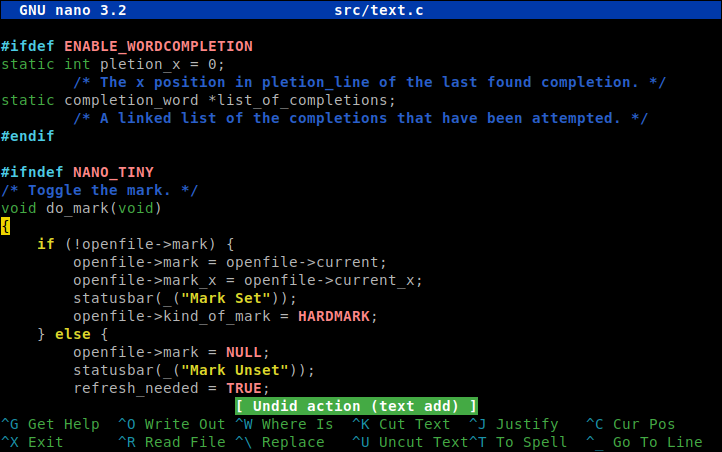
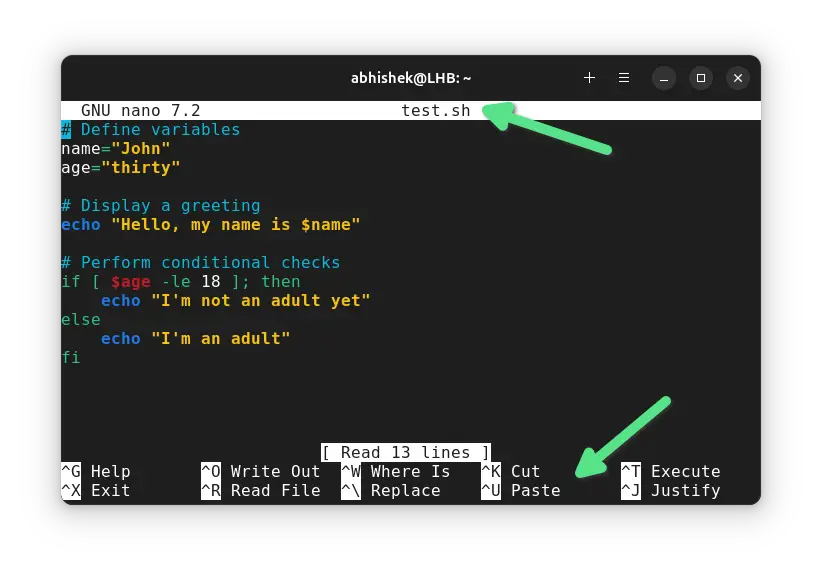
Nano is a simple, lightweight text editor for Linux (and other Unix-like systems) that runs inside the terminal. It’s loved by beginners because it’s straightforward—no confusing modes, no steep learning curve.

Image

Image

Image


What Nano Is Used For

You use nano to:

  • Edit configuration files (.conf, .env, .ini)

  • Write scripts (.sh, .py, .php)

  • Quickly change system files (like /etc/hosts)

  • Make fast edits on remote servers via SSH

How to Open Nano

nano filename.txt

If the file doesn’t exist, nano creates it.

Why People Like Nano

  • 🟢 Beginner-friendly – no modes like Vim

  • 🟢 Runs in terminal – perfect for servers

  • 🟢 Keyboard shortcuts shown on screen

  • 🟢 Very lightweight & fast

Basic Nano Commands (Must-Know)

ActionShortcut
Save fileCtrl + O → Enter
Exit nanoCtrl + X
Cut lineCtrl + K
Paste lineCtrl + U
Search textCtrl + W
Replace textCtrl + \
Go to lineCtrl + _

(Ctrl is shown as ^ inside nano)

Example: Edit a Config File

sudo nano /etc/nginx/nginx.conf

Nano vs Other Editors

  • Nano → simple, fast, beginner-friendly

  • Vim → powerful, steep learning curve

  • Emacs → extremely powerful, heavy

When You Should Use Nano

✔ Quick edits
✔ Learning Linux
✔ Server work over SSH
✔ No time to remember complex commands


Enjoy! Follow us for more... 

What is Double-testing with lookahead assertions in Regex.mp4

  Download Video :  What is Double-testing with lookahead assertions in Regex.mp4 Double-Testing with Lookahead Assertions (Regex) Double-te...